


A lively comment section can add value to any website. It encourages discussion, builds trust, and creates a sense of community around your content. But for WordPress users, these benefits often come with a hidden challenge: spam comments. Automated spam bots and dishonest posters flood feedback sections with irrelevant text, suspicious links, and deceptive offers.
Left unchecked, it can damage search engine rankings, overwhelm moderation teams, and mark your site as unsafe. For website owners, learning how to stop WordPress spam comments is essential to maintaining credibility and protecting visitors.
What is a spam comment?
WordPress comment spam refers to unwanted or irrelevant submissions in a site’s discussion area. These entries often include fraudulent links, generic text like “Great post!” repeated hundreds of times, or offers promoting questionable products.
There are different types of spam:
⇒ Automated spam bots flood comment sections with hundreds of submissions in minutes.
⇒ Comment spammers post manually, hoping to slip past detection filters.
⇒ Sophisticated spam combines fake praise with hidden spam links.
Why are spam comments a problem?
Junk comments often contain links to unsafe or irrelevant websites. Search engines may interpret these as harmful, lowering your site’s visibility and hurting rankings. If junk comments often remain visible, your site can even be flagged as unsafe.
From a user perspective, visitors lose trust when a comment section is filled with junk. Many irrelevant comments contain cyber attacks, such as phishing attempts or malware, which create direct security risks. On the backend, too many of these in WordPress can bloat the database, slowing site performance. For businesses, the result is lost engagement, reduced conversions, and wasted resources on moderation.
Using Built-In WordPress features
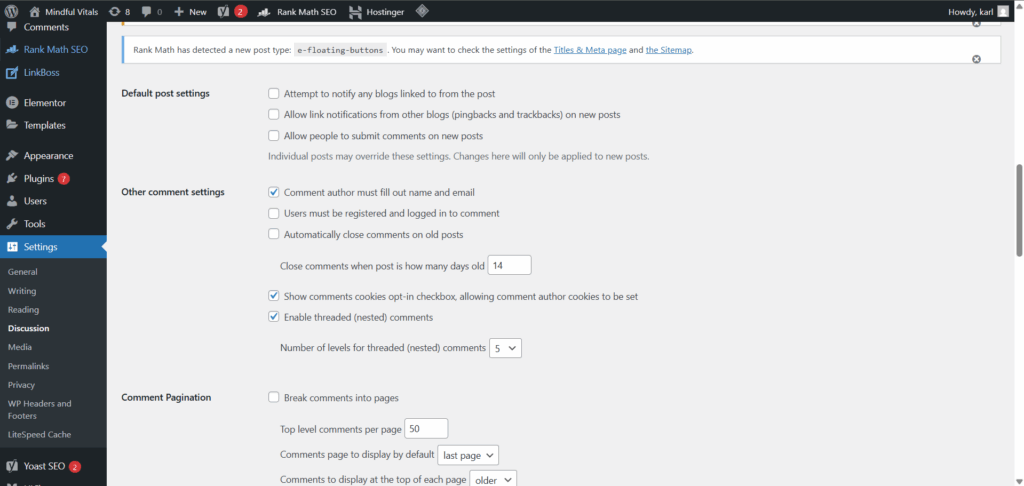
The WordPress admin dashboard includes several built-in WordPress features to combat spam comments. Within the comment settings, website owners can:
⇒ Require every interaction to be manually approved before it goes live.
⇒ Approve each comment only from trusted users who have previously posted safely.
⇒ Limit comments on new posts and close them after a set number of days.
⇒ Disable comments entirely if discussion isn’t needed.
Using built-in WordPress features reduces irrelevant feedback on your website by filtering low-effort junk before it becomes visible. For site owners who don’t want comments at all, the option to close the section permanently provides complete spam prevention.
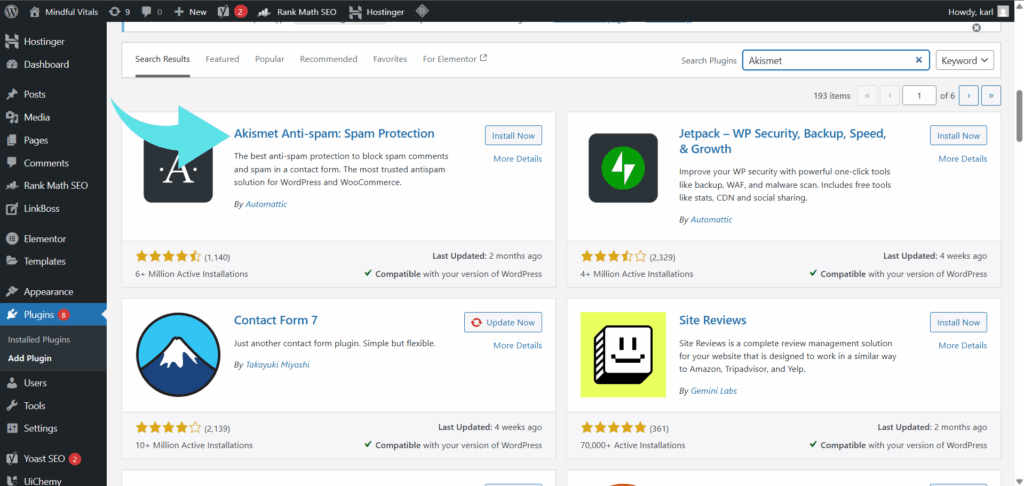
Install an Anti-Spam Plugin
While built-in settings help, the most effective defence comes from using anti-spam plugins. Akismet spam protection is pre-installed on many WordPress sites and is one of the most trusted tools to combat junk replies. It automatically identifies and blocks spam comments, adapting to new tactics used by spammers.
Other popular plugins include Antispam Bee, known for GDPR compliance, and CleanTalk, a paid cloud-based service that blocks bots without using captchas. These plugins provide comprehensive protection by filtering suspicious activity before it clutters your moderation queue. Website owners can also install a WordPress plugin like Jetpack Protect, which adds additional spam detection features.
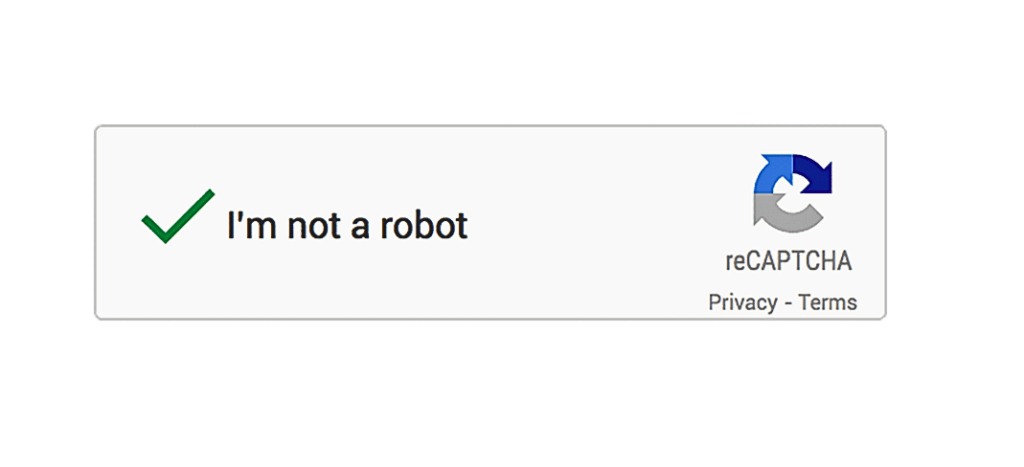
Enable Google reCAPTCHA
Another way to block spam bots is to add a CAPTCHA or Google reCAPTCHA challenge to your comment form. This requires users to verify they are human before leaving comments.
Google reCAPTCHA is easy to set up and integrates seamlessly with many spam plugins. Modern versions are user-friendly, often invisible to genuine visitors but effective at stopping automated bots. When paired with plugin-based filtering, it creates a robust system that blocks unwanted feedback and reduces the number of spam submissions reaching your site.
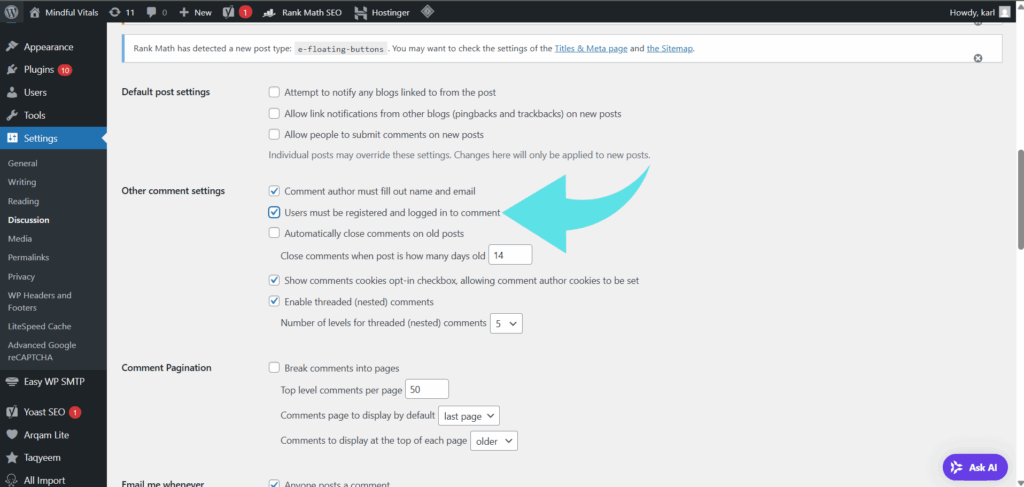
Require Users to Log In Before Interacting
One method to reduce unwanted feedback is to require users to be logged in to interact. This step discourages anonymous spammers and forces accountability. While it may reduce casual feedback, it’s a valuable spam protection tool for WordPress websites that attract many spam comments.
By making users log in before posting, you deter automated spam bots and create a safer environment for meaningful interaction. This method also makes it easier to moderate comments since each user’s history can be reviewed.
Limit Links and Keywords
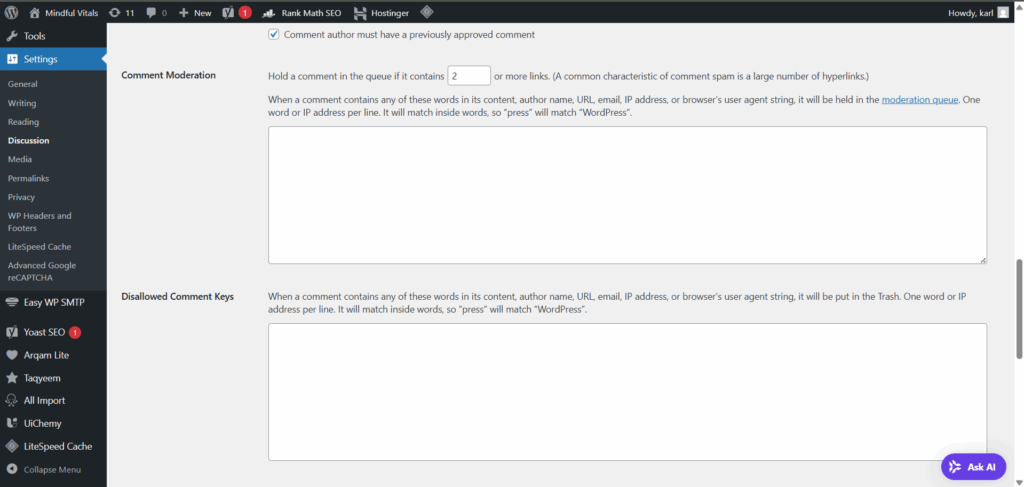
Spam comments usually contain multiple suspicious links. To combat it effectively, you can:
⇒ Limit the number of links allowed in every comment.
⇒ Block specific words often used by spammers.
⇒ Disable HTML in comments to prevent hidden spam links.
These steps eliminate unwanted comments that try to flood your discussion with irrelevant or harmful URLs. Limiting links and disabling HTML in comments reduces the risk of malware distribution and maintains the best user experience for genuine readers.
Add a WordPress Firewall
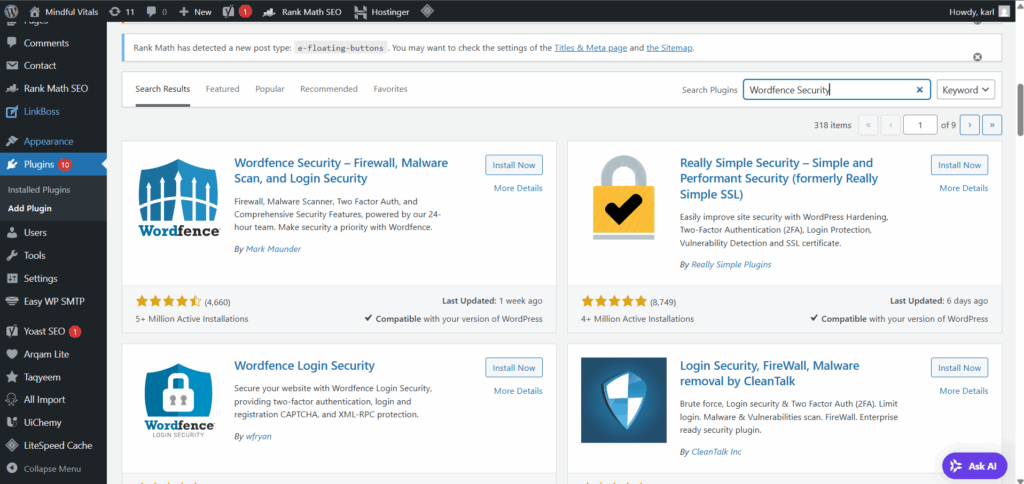
A WordPress firewall adds another layer of security by blocking malicious traffic before it reaches the comment form. Services like Cloudflare or firewall plugins integrated into your hosting plan identify and block spam bots, brute-force attempts, and other suspicious activity.
This proactive approach reduces the number of junk comments on your website and complements existing preventive measures like plugins and reCAPTCHA. Firewalls not only combat it but also protect against broader attacks on your WordPress website.
Consider a Third-Party Comment System
If many unwanted comments overwhelm your site, switching to a third-party comment system can help. Platforms such as Disqus, Commento, or Facebook Comments include stronger built-in spam filtering. They identify and block it before it reaches your WordPress database.
While third-party systems change how users leave comments, they often provide comprehensive protection and reduce the moderation burden for website owners. For blogs flooded with spam using automated bots, this option can simplify management.

Best Practices for Ongoing Comment Moderation
Spam prevention is an ongoing task. To stop comment spam on your WordPress site, adopt these practices:
1.Regularly review the comment moderation section to catch false positives.
2. Moderate comments by approving them before they go live.
3. Keep plugins, firewalls, and WordPress core updated.
4. Block spam bots by combining tools like Google reCAPTCHA with anti-spam plugins.
5. Monitor search engine rankings to ensure spam links haven’t hurt performance.
6. Identify and block spam accounts that bypass filters.
Conclusion
Spam comments in WordPress aren’t just annoying; they also threaten SEO, security, and user trust. Fortunately, there are many ways to combat spam comments, from using anti-spam plugins and Google reCAPTCHA to enabling firewalls and moderating comments effectively. By combining these tools with built-in WordPress features, website owners can stop WordPress comment spam, protect readers, and maintain a clean, trustworthy comment section.