


How to Create Menu
When the first Theme is selected it automatically populates the Menu but if you want to Edit or Create Menu you can follow this guide.
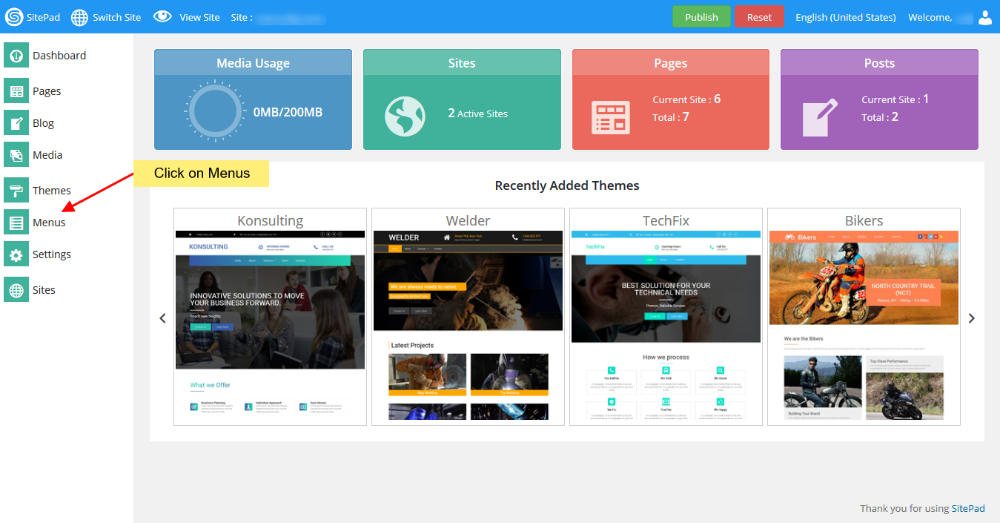
- Hover on Themes tab in the left sidebar and when you see Menus option click on it as shown in the image below. Please Note : The menu name should be Header Menu.
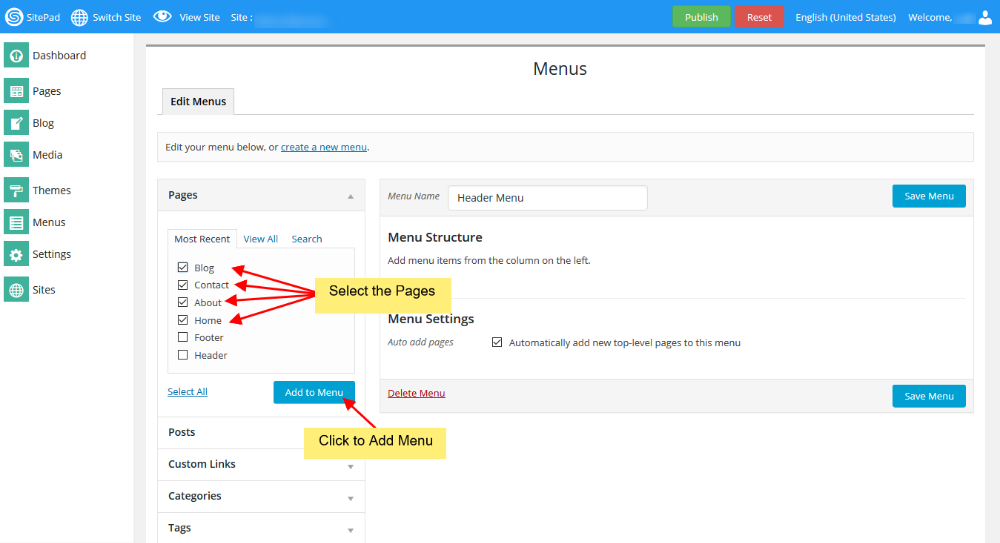
- Select the Pages that you want to show on your Header Menu after Selection click on Add Menu.
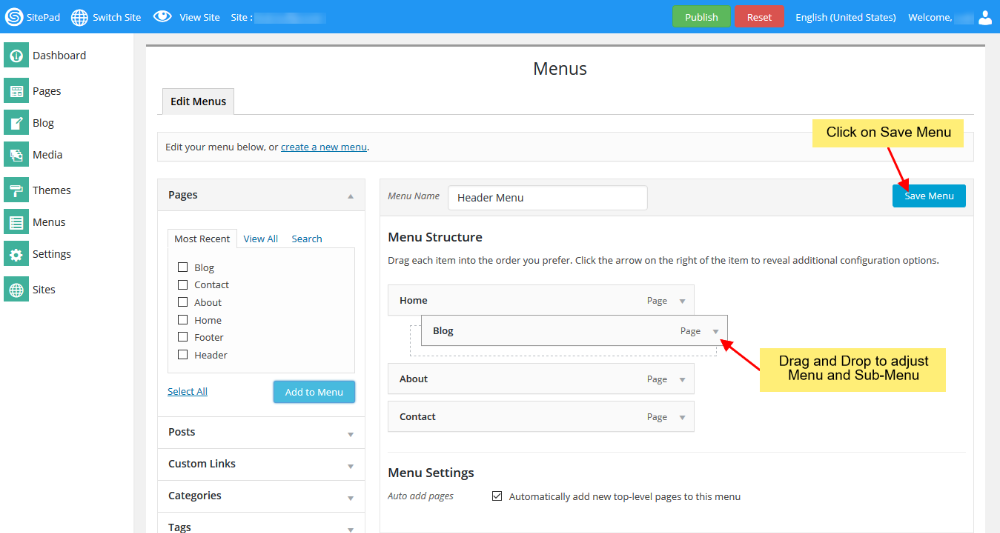
- Adjust the Menu and Sub Menu by using Drag & Drop once done Click on Save Menu.
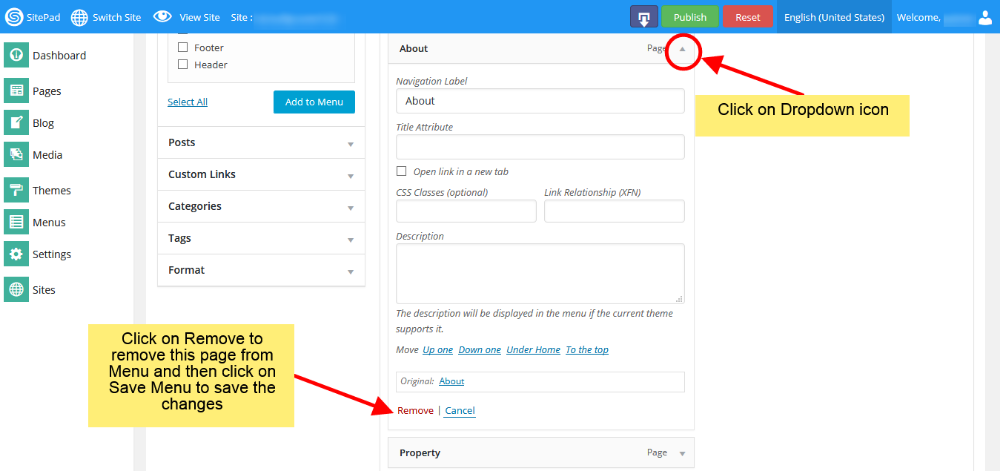
- If you want to remove any page from Menu you can do this by following below steps once done Click on Save Menu.
That’s it your done.
No comments to display
No comments to display