


.hu domain transfer
A .hu domain transfer can only be initiated by the domain name owner.
ARegistrar Registrartransfer (or registrar transfer combined with domain user change and/orin domaina holdersingle changestep) will only beis possible iffor thedomains domainwith nametwo-factor isauthentication alreadyas usingwell factor-basedas authentication.for If the domain name is stillolder, document-based anddomain younames.
Only want to changein the Registrarcase orof domainan holder,ownership change can the transfer be performed. The domain must first be converted"factorised" to(enabled for two-factor authentication.authentication) Onlyat the current Registrar can perform this modification; the new registrar cannot.registrar.
1.To initiate a domain transfer, enterclick thethis domainlink. name in the search field on the homepage andThen provide the corresponding AUTH code in the authorization code field. This code must be requested from the current registrar, and the .hu registry will send it to the domain user's email address. The AUTH code can only be requested for a factor-based domain name. If the domain name is not yet protected with two-factor authentication, the AUTH code is not required. Please leave the field empty!
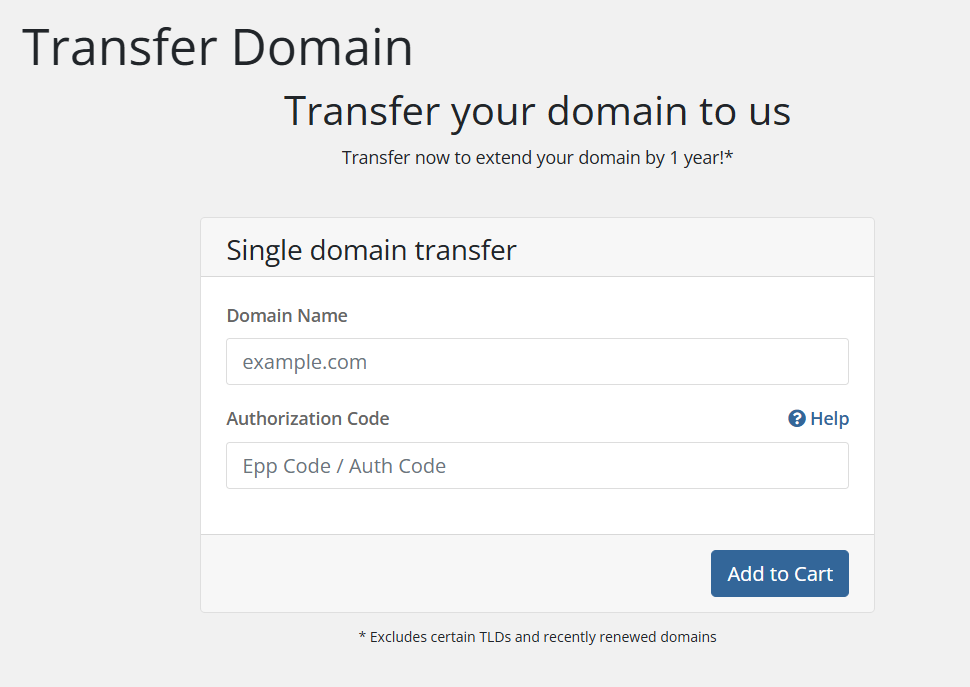
2. On the next page, click the "Click to continue" button.
3. On the following page, you can choose a hosting service for the domain name you wish to register and set the name servers for the domain. After configuring these settings, click the "Next" button.
4. In the next step, you can review your cart. If you have a promotional code, you can enter it here. You also have the option to cancel the order or place additional orders. If everything is correct, click the "Order" button.
5. After that, you need to provide the details of the domain owner, as well as the administrative contacts, and technicalthat contacts.factor data. You need to select whether the domain name should use single-factor or two-factor authentication. For each order, you can use previously saved contacts, or you have the option to enter new contact details for each domain name.
6. All email addresses and phone numbers provided for domain name contacts must be confirmed. For transfers, our company will handle the confirmation process by sending an email, SMS, or voice call. Until the email addresses and phone numbers are confirmed, the transfer cannot proceed.
The confirmation is valid for one year, meaning it does not need to be repeated within this period for the same contact. Confirmation is only required if the given email address or phone number is used in a new registration, modification, or transfer and has not been verified in the past year.
7. At the bottom of the page, you must choose a payment method that may be one of the following:
- CreditCard via PayPal
- BankTransfer
- Credit card payment
- PayPal
8. Next, check the box to I have read and agree to the Terms of Service and then click the Complete Order → button.
9. For domains with factor authentication: If the order ishas been paid, the data is verified,confirmed, and the AUTH code is correct, the domain transfer will be completed immediately.within a few minutes.
For domains without factor authentication: After placing the order, please download the factorisation document, sign and scan it, then upload it here. (In case of an organisation, please also stamp the document and attach a signature specimen.)
10. Once the domain name has been successfully registered, our system will send you an email notification to the email address provided at the account payer.
After a Registrar and/or domain holder change, no further transfers (Registrar or holder change) can be requested for 30 days.