
New .hu registration - Personal
WHO CAN REGISTER A .HU DOMAIN NAME?
"Domain Applicants may be citizens or legal entities of any country, provided that no applicable law precludes persons from those countries from applying for a domain name.
An Applicant who does not belong to one of the following groups:
- a legal person or a national of a Member State of the European Union, the Council of Europe, the EEA or EFTA, or of a country bordering Hungary
- a natural person with a permanent residence permit or a residence permit in Hungary,
is eligible to apply if it carries out or starts an economic or other activity that justifies the use of a .hu domain name. Upon request by the Registry or the Registrar, they shall provide appropriate evidence to that effect."
Source: https://www.domain.hu/domain-registration-policy/
CHECK DOMAIN AVAILABLE
Before registering a domain name, you should verify that the domain name you are trying to register is not yet registered.
You can start checking on https://admin.dotroll.com using the search box under Begin the search for your perfect domain name….
Enter the domain name in the search box without any prefixes (http://, https://, www.), and then click the Search button. The system also verifies that other domain name endings have this option for registering a domain name.
ORDER A .HU DOMAIN
- If the domain name you choose is not yet registered, click Add to Cart, followed by the Checkout button.
- On the next page you have the option to choose a hosting service for the domain name you want to register, or you can set the name of the domain name to be registered. After you have made the settings, click Continue → button.
- he system will display a summary of the order where it is possible
- you can modify the domain name registration period
- you can cancel the order
- you can also start an additional order
- if you have a promotional code, you can specify it
If all settings are correct, click the Checkout → button.
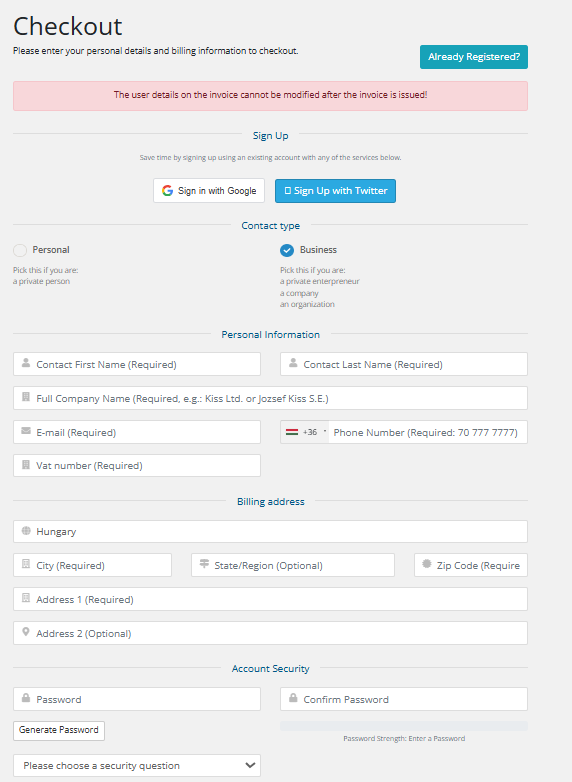
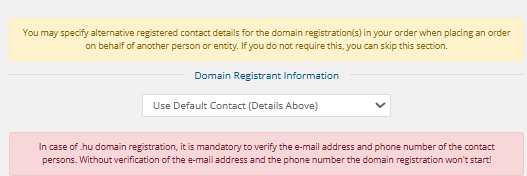
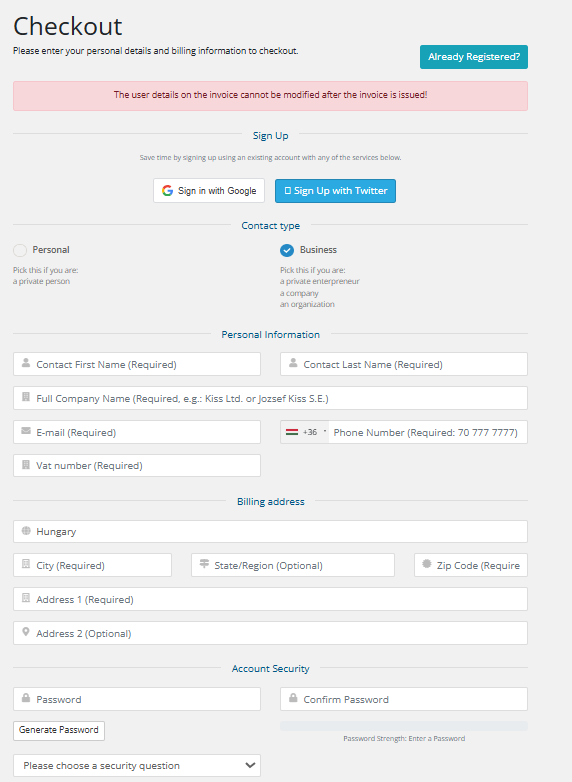
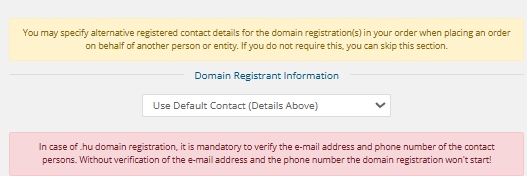
- You can then enter contact details for the domain name (owner, administrative or technical contact). For each order, you can use previously-entered contacts, but you also have the option to enter a new contact for each domain name.
-
It is essential that (if your email address and phone number have not been verified in the past year) for a .hu domain registration, it is mandatory to confirm your email address and phone number. Please provide a valid and actively used contact! Without verification, the domain registration will not proceed!
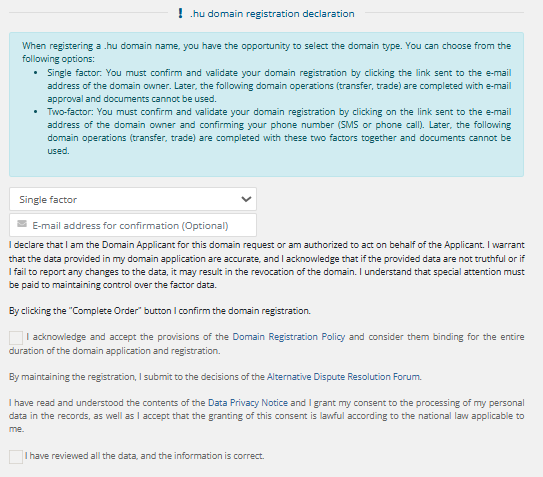
- Select whether you want a single-factor or two-factor domain registration, then read and accept the checkboxes! If you do not fill in the "e-mail address for confirmation" field, it will default to the applicant's email address.
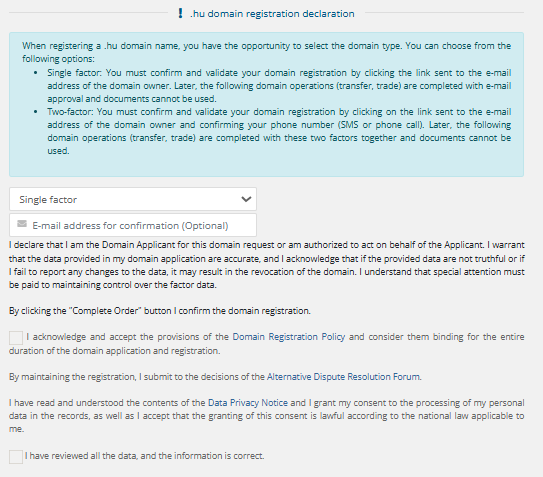
Future modifications must be confirmed using a factor rather than document-based verification. The first factor is always the email address, and in the case of two-factor authentication, the second factor is always the phone number.
- At the bottom of the page, you must choose a payment method that may be one of the following:
- CreditCard via PayPal
- BankTransfer
- Credit card payment
- PayPal
Next, check the box to I have read and agree to the Terms of Service and then click the Complete Order → button.
- On the next page, enter the captcha code for the .hu domain name entry, and then click I agree button.
- After that, the system will automatically be redirected to the payment interface.
- After the payment completed, your order will be forwarded, and started to the Council of Hungarian Internet Providers (CHIP). If verification is required, please check your inbox, as the confirmation email will be sent immediately after placing the order!
- Once the domain name has been successfully registered, our system will send you an email notification to the email address provided at the account payer.