


How to Set Up Email on iPhone and iPad
LOG IN TO THE CPANEL INTERFACE AND CREATE THE MAILBOX YOU WANT TO SET UP
- Use your device to log in to the cPanel interface.
- Create a mailbox! (How to create E-mailbox is cPanel?)
DOWNLOAD PROFILE TO YOUR DEVICE
- After you have created the mailbox in the cPanel interface, scroll down to the Email accounts section in the Mailbox under Email accounts and click on Connect Tools.

Connect Devices
- Tap the IMAP SSL/TLS link to download the profile with configuration settings.

IMAP over SSL/TLS
- The interface will display the following message, approve it:
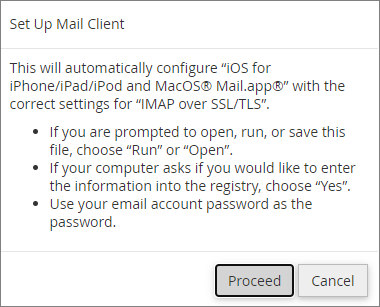
Set Up Mail Client
SETUP PROCEDURE
The setup is similar for iPhone and iPad. To set up, follow the steps below:
- Approve the warning message that appears to download the profile to your device.
- Navigate to
thethe Settingstaptap Profile downloaded - The device will then load the data in the saved configuration file and display it,
taptap Install - Then tap
thethe Install - Enter the password for the mailbox you want to set up, then
taptap Next - Finally,
taptap Done.
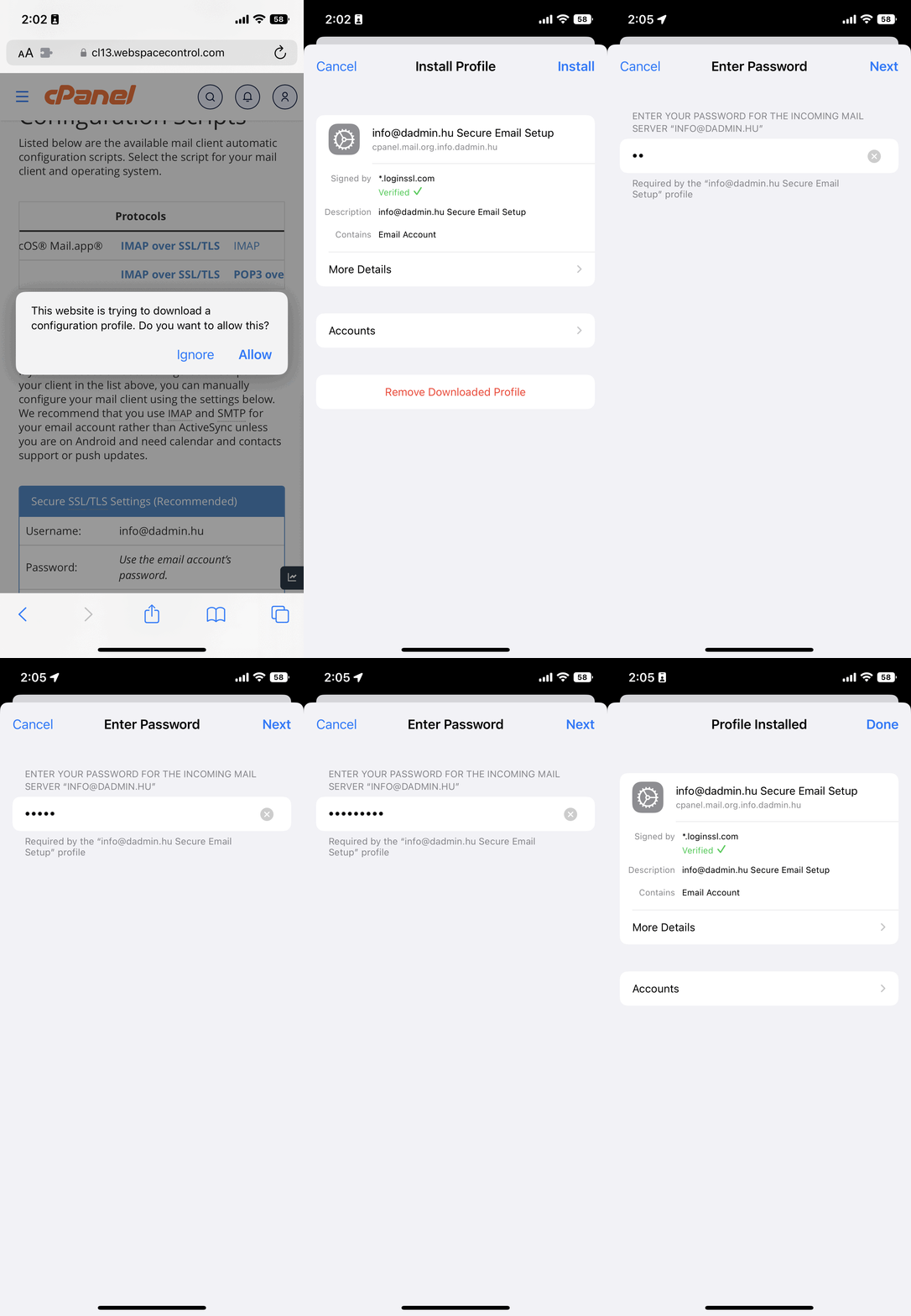
Quick setup Mail on iPhone
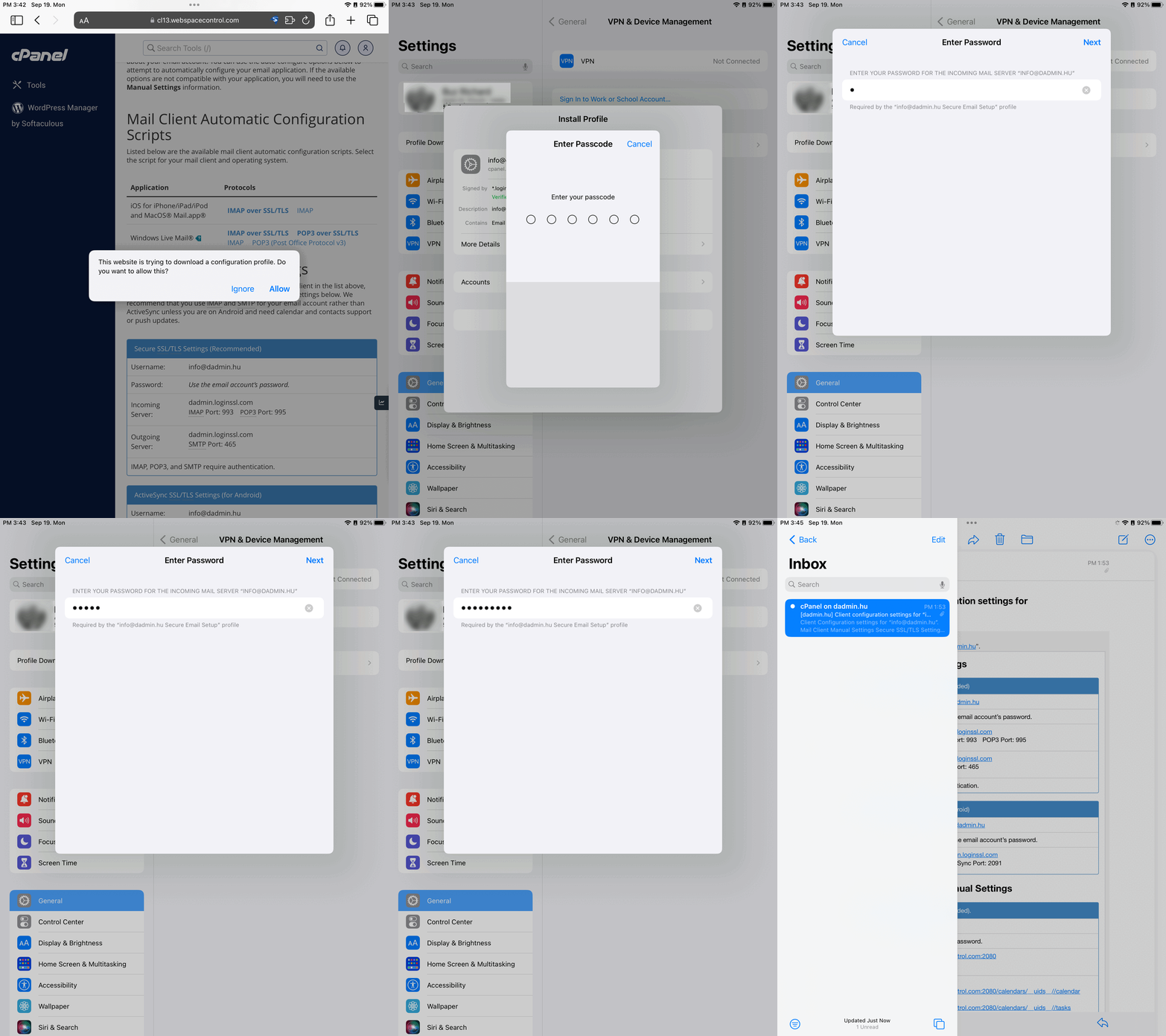
Quick setup Mail on iPad