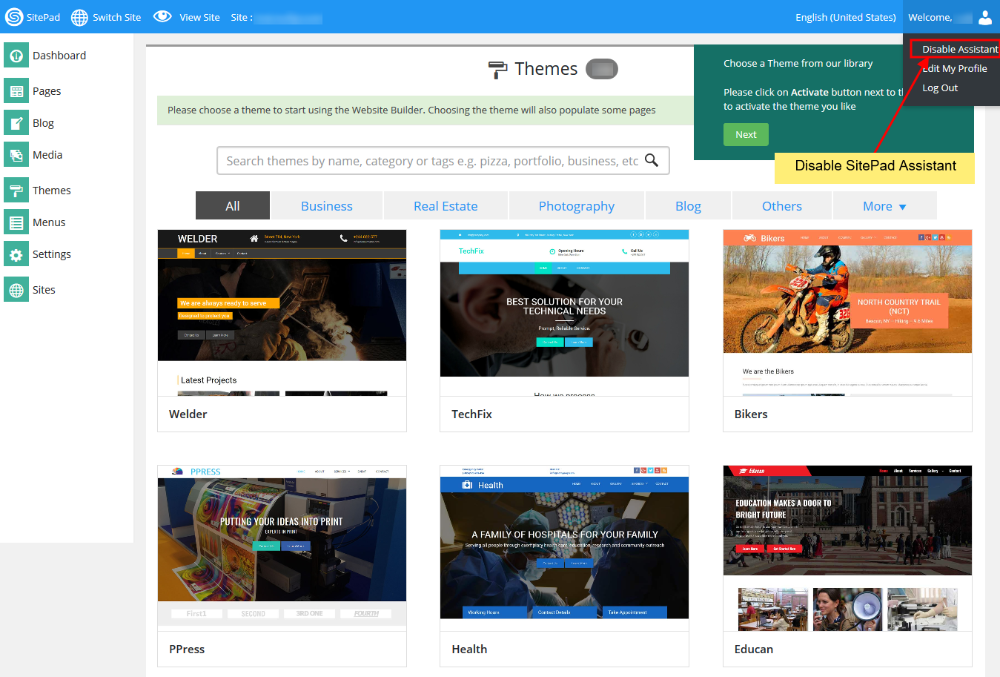
# What Is the Website Builder Assistant
**SitePad Assistant** is a tool which helps you navigate **SitePad Editor**.
#### HOW TO USE SITEPAD ASSISTANT
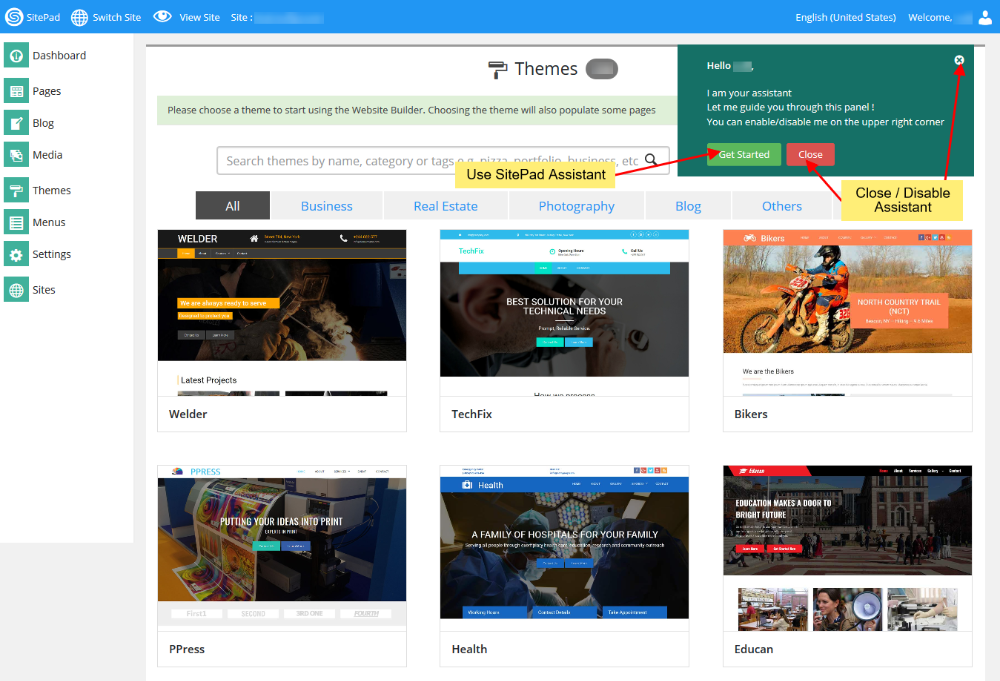
When you login for the **first** time **SitePad Website Builder** will enable the **Assistant** by default.
You need to Click on **Get Started** to navigate SitePad Editor. If you want to **Disable** the Assistant you just need to click on Close or X as shown in the Image below:
#### ENABLE ASSISTANT
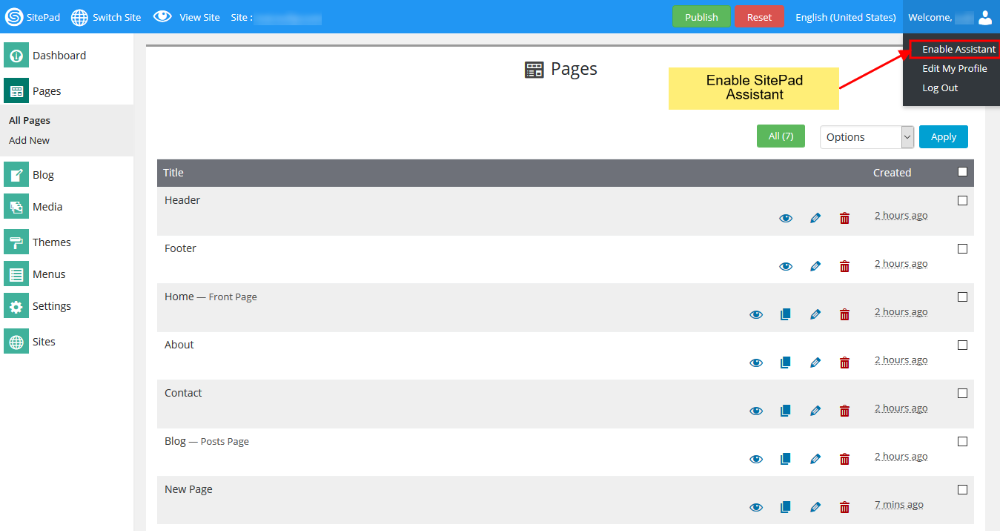
You can always Enable it back again by hovering on **Welcome, {username}** on the **Navigation Bar**. You will see a Drop Down List which mentions **Enable Assistant**.
Click on the button and **SitePad Assistant** will be enabled for you.
#### DISABLE ASSISTANT
To **Disable** the Assistant you need to follow the **same procedure** that you followed to Enable the Assistant. But instead of Enable button you will see **Disable Assistant** button.
Click on the button and **SitePad Assistant** will be disabled for you.