# Splash Screen
This Guide will help you to add **Splash Screen.**
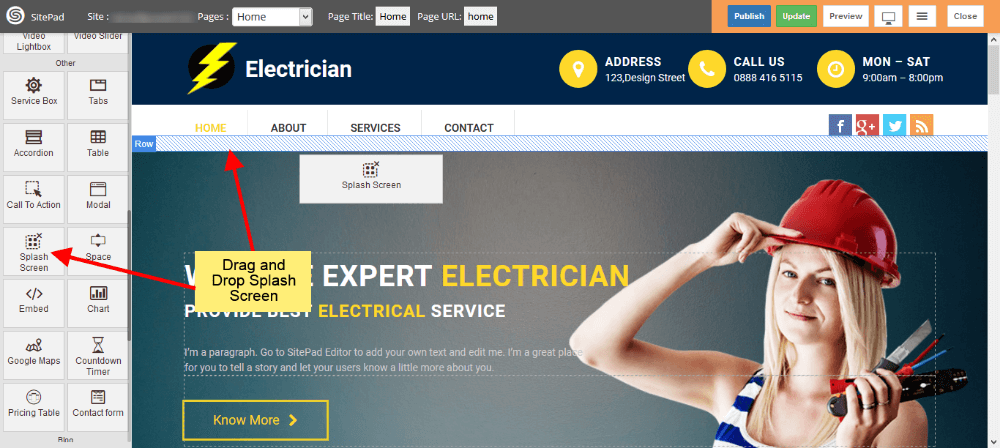
#### DRAG AND DROP SPLASH SCREEN
- Drag and Drop **Splash Screen** from left side **Widget Panel** at your desired portion of page.
- When your website window reach that portion, At that time **Splash Screen** will get Displayed.
- Here we have **Dragged** it at the Start of Page, so it will get **Displayed** when we load Page in Website.
#### EDIT CONTENT
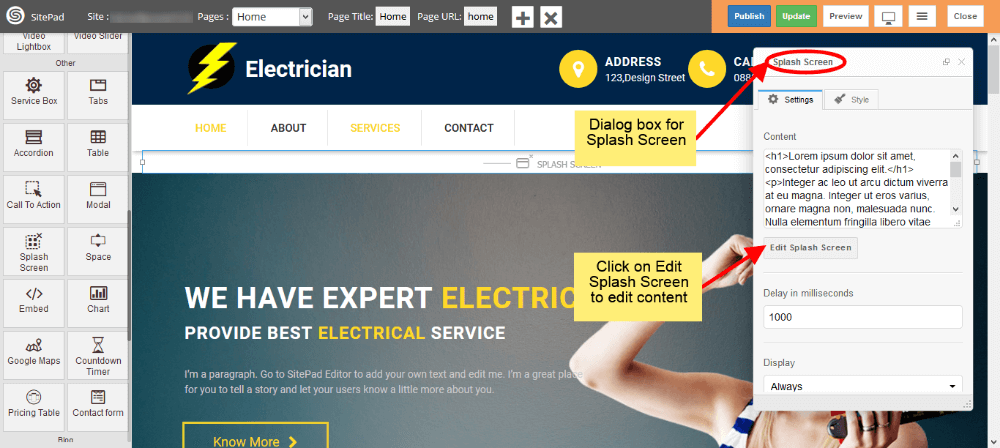
- When you Drag and Drop **Splash Screen** it will open **Dialog Box** for it.
- Now in Dialog Box you can edit content by clicking on **Edit Splash Screen** as shown in image below.
#### DELAY TIME AND DISPLAY
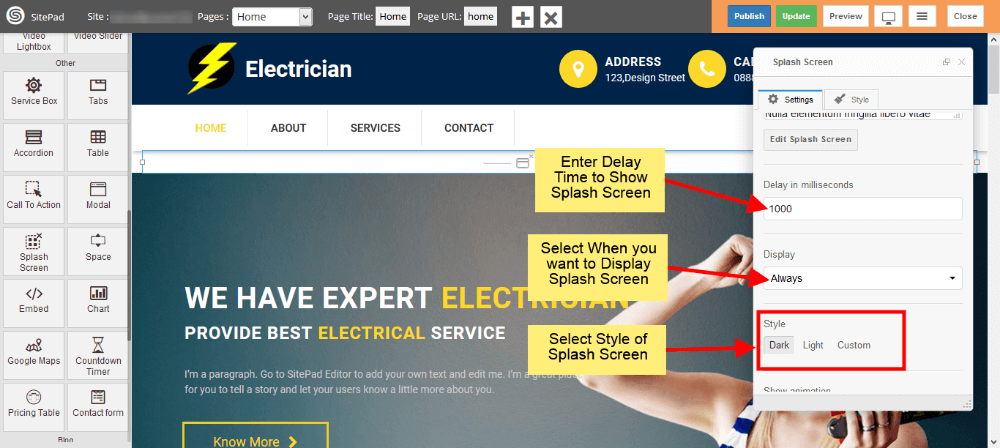
- Delay time will delay the *Arrival* of **Splash Screen** with that much time.
- Select when you want to display **Splash Screen** from **Display** options.
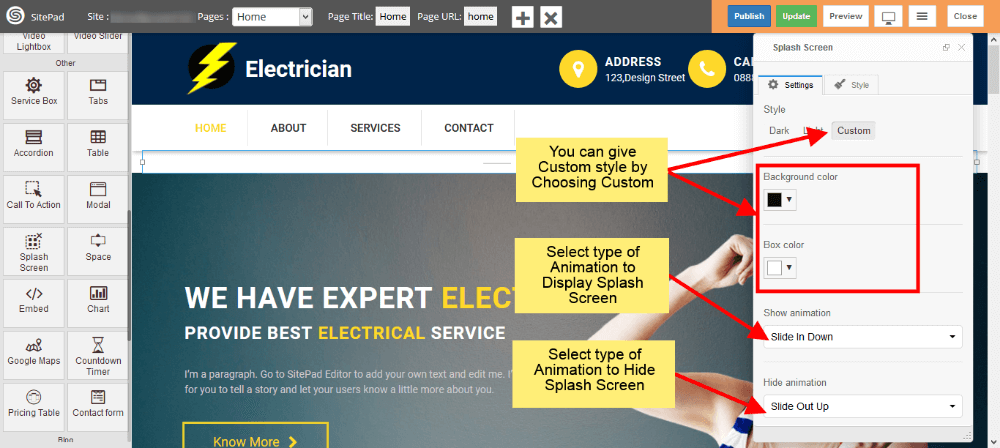
- Select style of Splash Screen. If you want to give your **custom style** then select **Custom**.
#### STYLE AND ANIMATION
- You can add your **custom style** by selecting **Custom** as shown image below.
- There is another way to give **custom styles** which is given in later steps.
- Now select type of **Animation** to **Arrive** the Splash Screen on your page. Same to **Hide** the Splash Screen.
#### CUSTOM STYLES
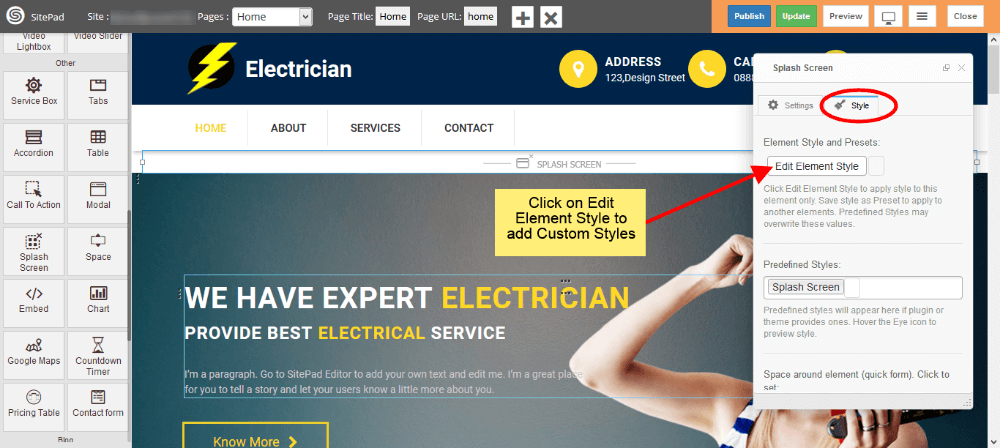
- This is the second way to give custom style to Splash Screen.
- Just click on Edit Element Style to add custom styles.
#### SPLASH SCREEN VIEW
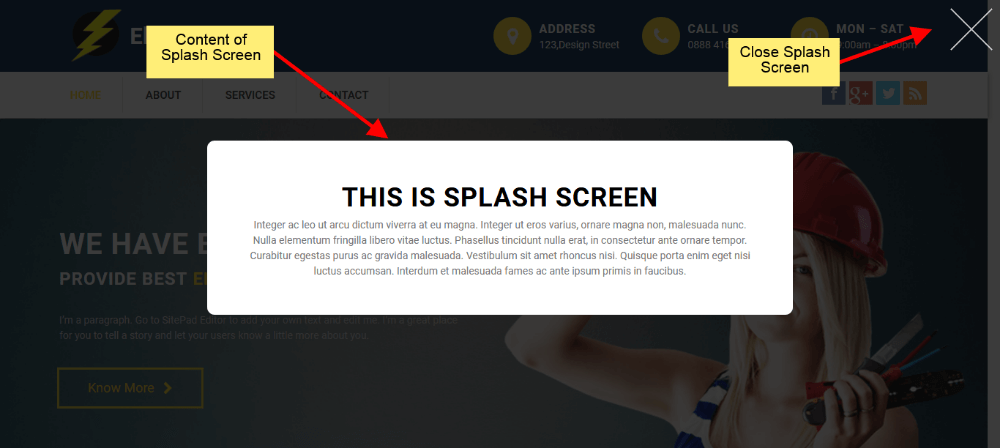
- Splash Screen will look like as shown in image below in your website.