How to Switch Site
Note: To Switch Site you need at-least two sites to be in your SitePad Builder
If you have a Single Site and have not added any other Site and want to Add New Site then you can follow the documentation mentioned: Add New Site
SWITCH SITE
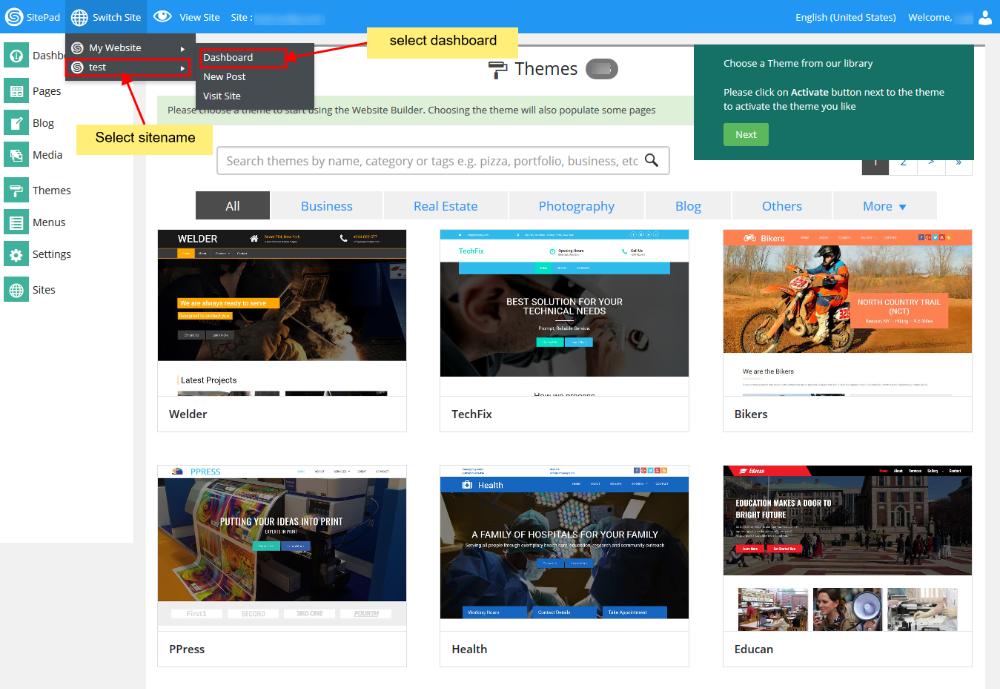
To Switch from Current Site to any other Site that you want to work on again. All you need to do is hover on Switch Site on Navigation Bar.
You will find the list of all the Sites that you have added. Now Click on the Site you wanted to work again and then click on Dashboard like shown in the image below.
Also remember the Site that was created by SitePad when you logged in first time will always be on top of the Switch Site.