# How to Add New Blog
This guide is to help you add new Blog Post.
#### LOGIN IN TO CONTROL PANEL
Firstly Login to your Control Panel (e.g. cPanel’s url will be [https://domain.com:2083](https://domain.com:2083/)) and login with your details. There click on the SitePad Icon or Link.
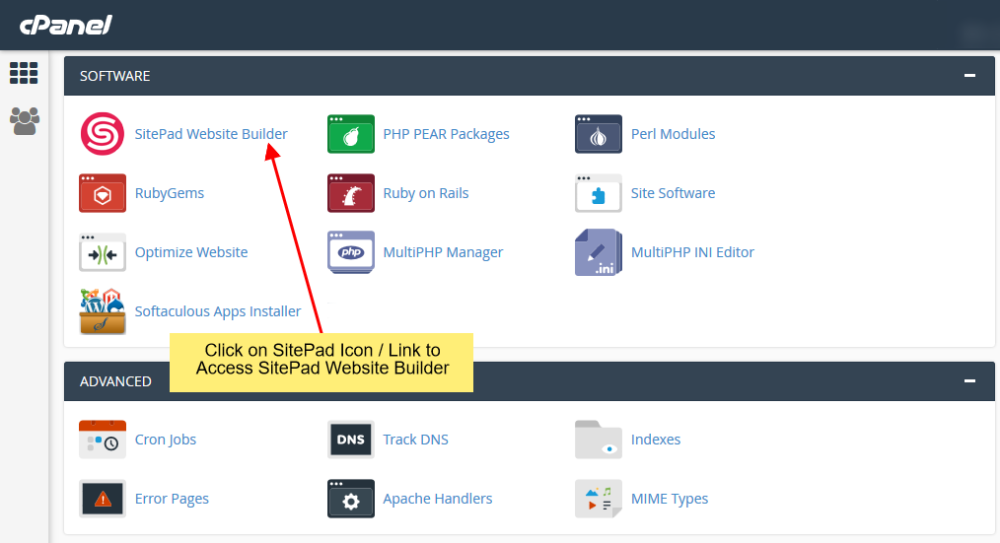
You will be redirected to **SitePad Website Builder**.
#### ADD NEW BLOG POST
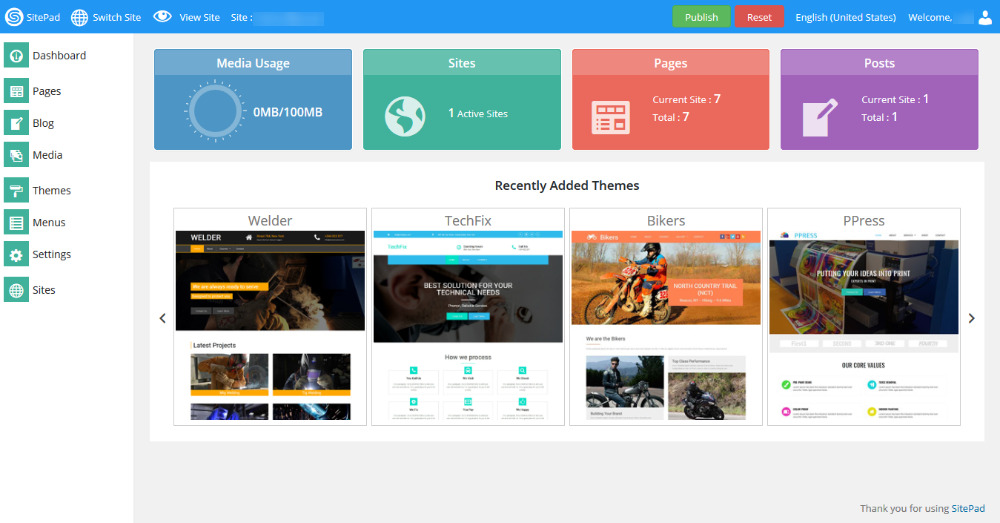
Once you are on **SitePad Website Builder** dashboard. You will see **Blog** option on Sidebar Navigation Menu.
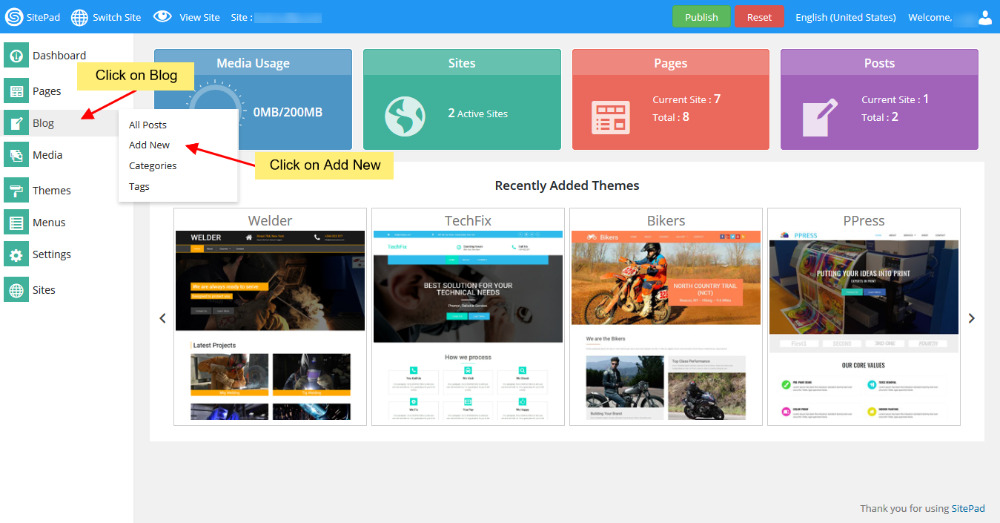
Click on **Blog** and then click on **Add New.**
After you click on Add New it will redirect you to **SitePad Website Editor.**
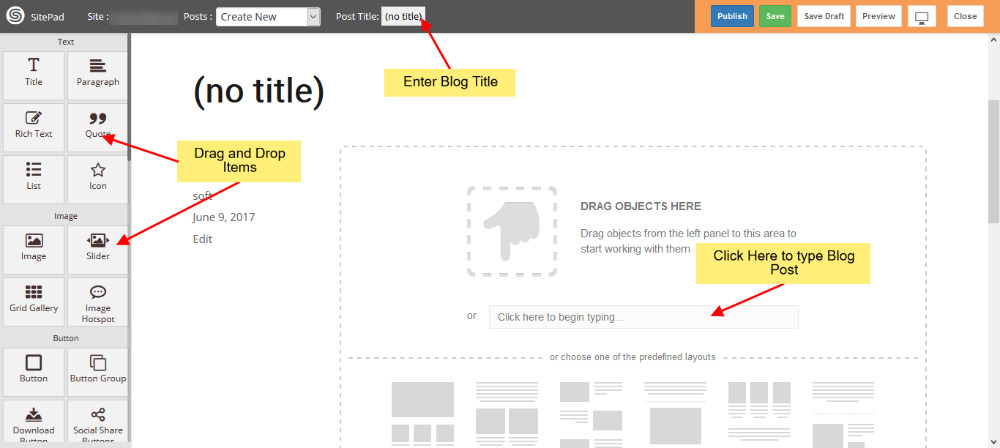
Enter the **Blog Title** then drag and drop items in your blog or you can even write a Blog Post by clicking on the textarea provided.
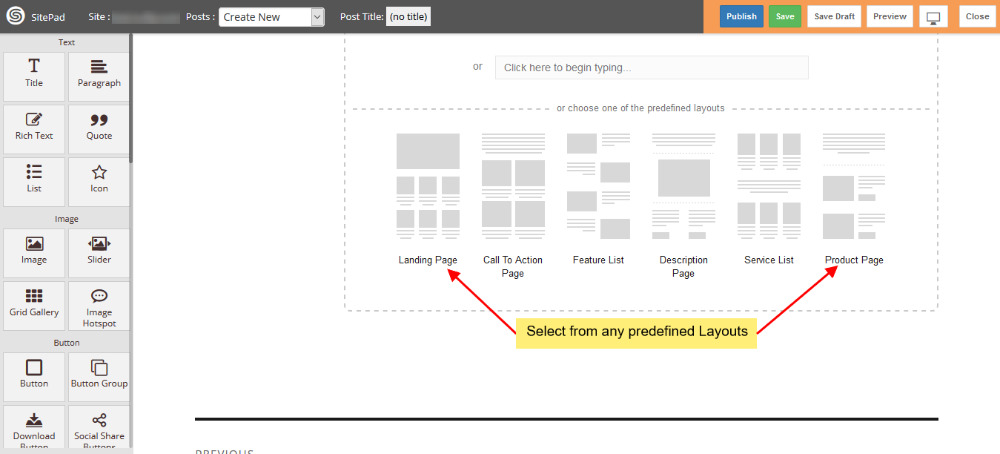
Also you can pick a predefined layout that we offer.
#### PUBLISH
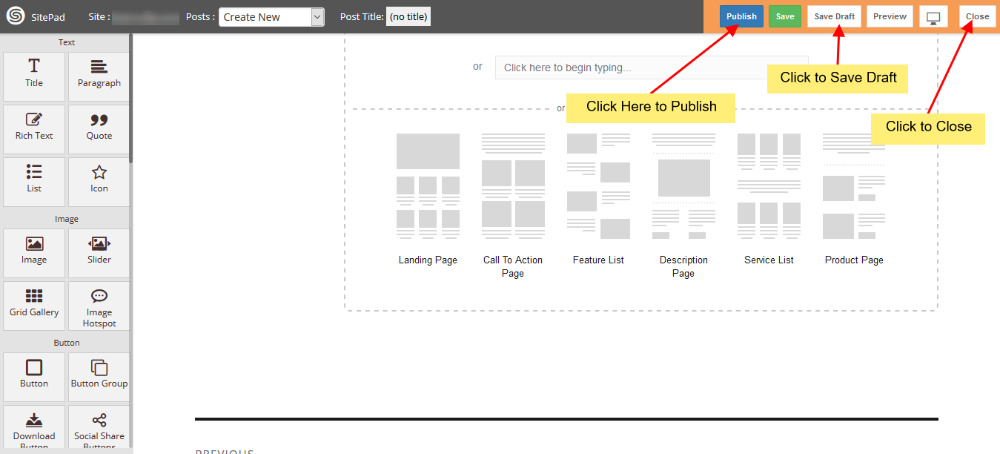
After editing the blog post Click on **Publish** button to publish your blog post.