# Contact Form
This guide will help you to **Customize Contact Form**.
1. 1. **Drag and Drop** Contact Form from left side Widget Panel or simply click on it if already present in page to open **Dialog Box**. Now in Dialog Box Click on **Add New Field** to add new input field to your Form. Enter Button label and check **use reCAPTCHA** box if you want to use it as shown image below. If you don’t know how to setup **reCAPTCHA** then follow this guide. Setup [reCAPTCHA for Contact Form](https://dotroll.com/en/knowledge-base/books/website-builder/page/how-to-add-recaptcha)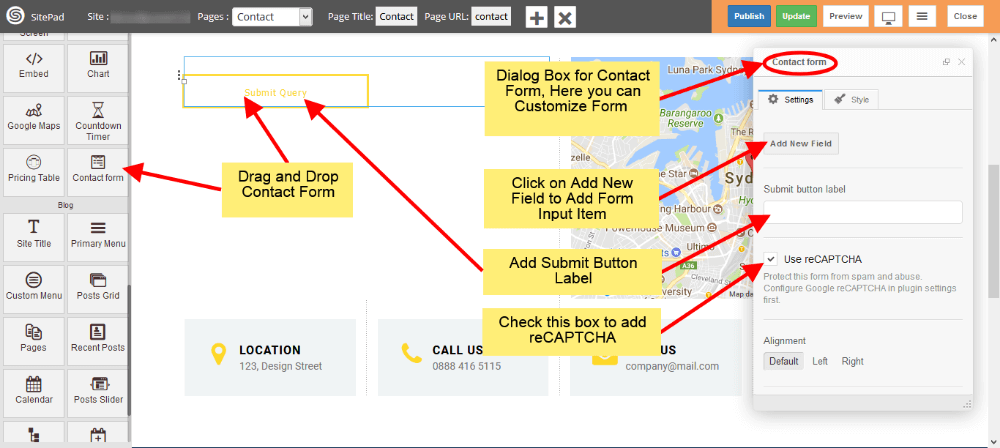
1. 1. Now select **Alignment** for your Contact Form as per requirements. **Form ID** and **Form Name** this fields is used in **E-mail template.**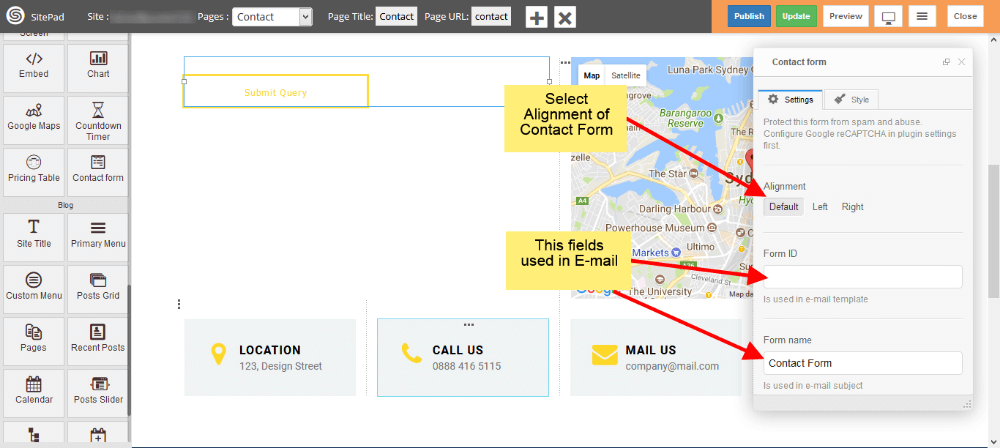
2. To add new fields just click on **Add New Field**. To customize newly added field just click on that particular field as shown in image below. 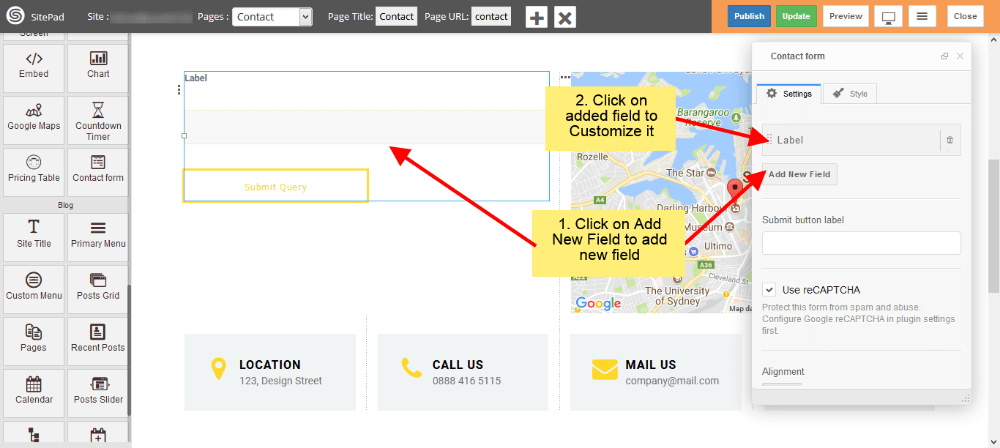
1. 1. Now add **Label** for input field and select Type of that field. We have different input types like **Text** for names or surnames, **E-mail** for e-mail, **Text area** for messages etc. 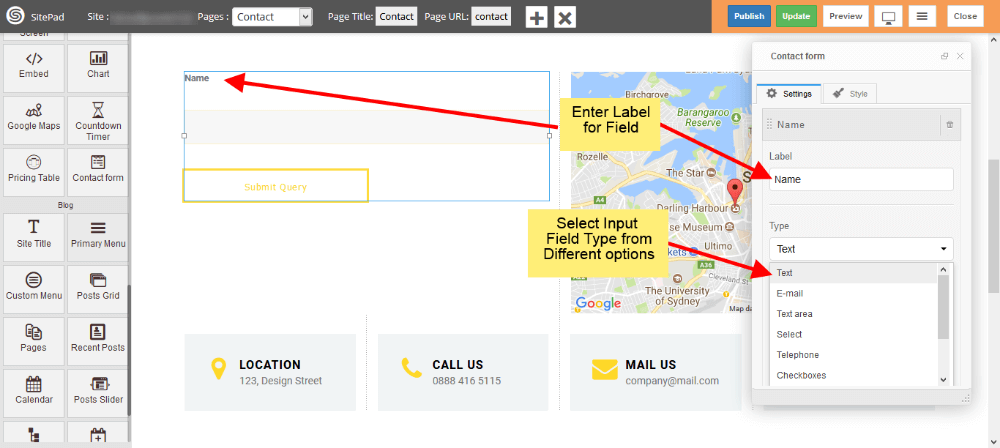
1. 1. To add the file upload option in contact form, Please select **File** form **Type** section dropdown as shown in figure. 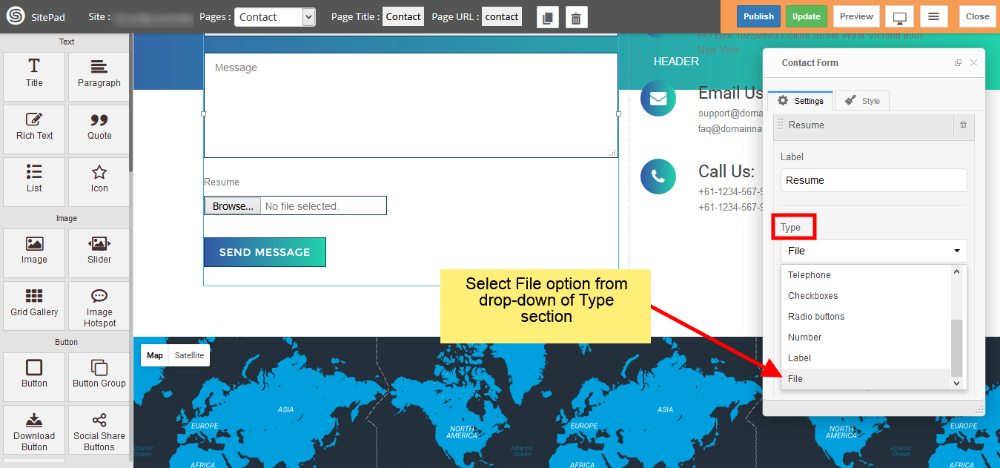
1. 1. Check **Use Label as Placeholder** box to place your label as a **Placeholder**. If you want any field as a **required field** then check **Required** box. Enter **CSS class** and **ID** if you need them. 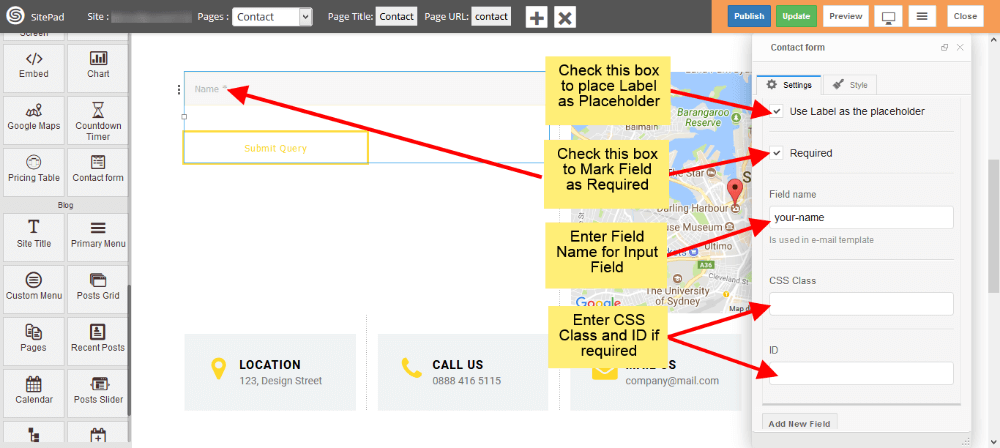
1. 1. You can add multiple input fields into your **Contact Form** as shown image below. 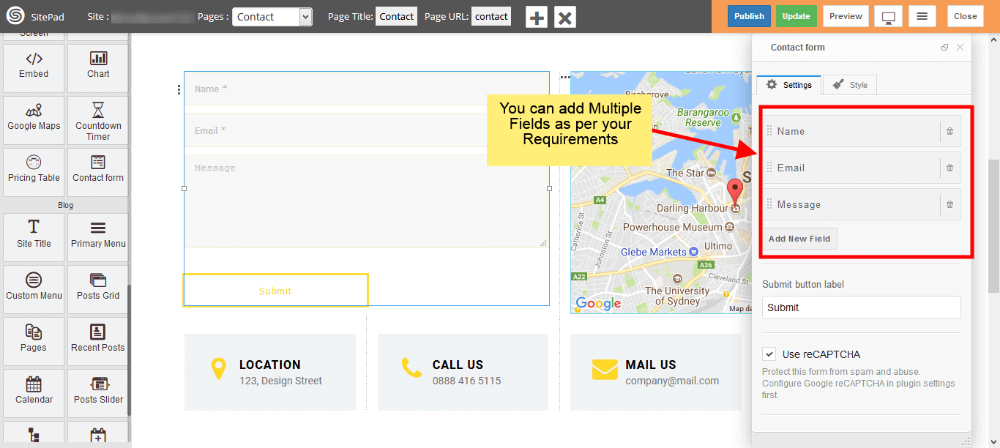
1. 1. You can set **Reply To** as shown in the image below. 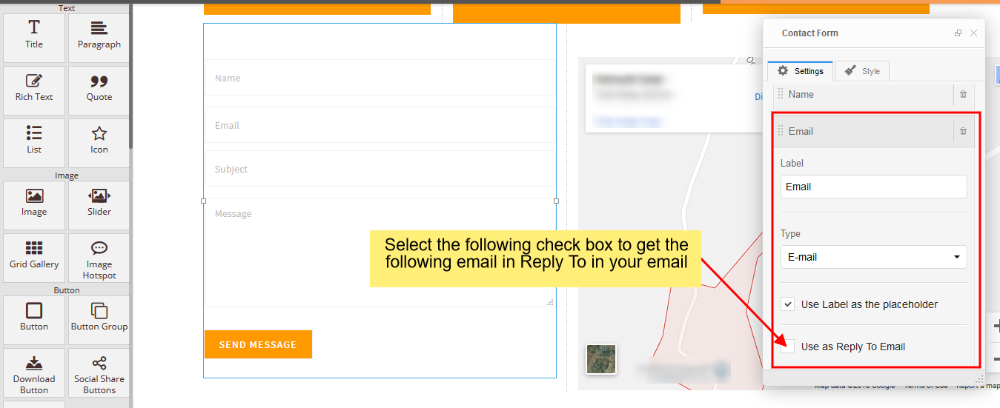
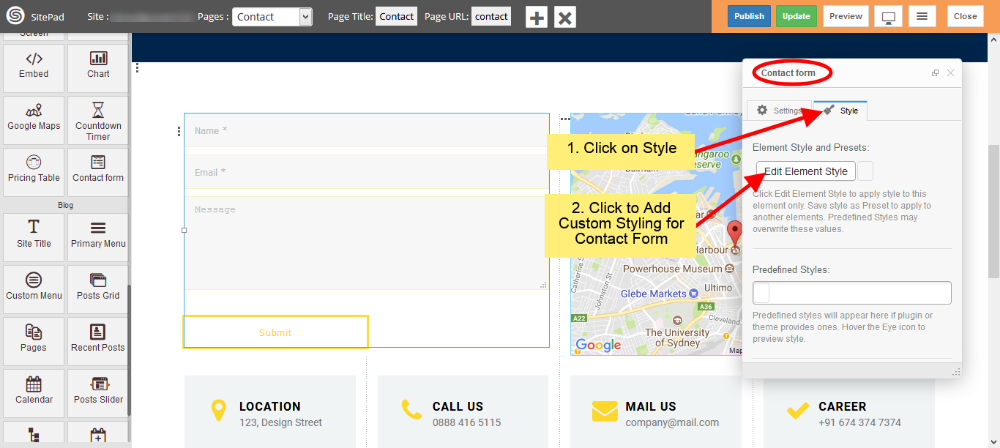
1. You can add **Custom Style** for **Contact Form** by following below image steps.