How to Set Up Email on iPhone Using IMAP
LOG IN TO THE CPANEL INTERFACE AND CREATE THE MAILBOX YOU WANT TO SET UP
- Log in to the cPanel interface.
- Create a mailbox! (How to create e-mailbox in cPanel?)
- After creating the mailbox, in the cPanel interface, under E-mail Accounts in the Mailbox, scroll down to E-mail Accounts and click Set Up Mail Client. CPanel will display the information required for setup.
If you want to use the mail.yourdomain.tld server in the description, replace it with your own domain name.
If you want to use the hostingID.loginssl.com server, enter your cPanel username instead of hostingID.
THE SETUP PROCEDURE:
- On your device, go to the Settings menu and select Mail.
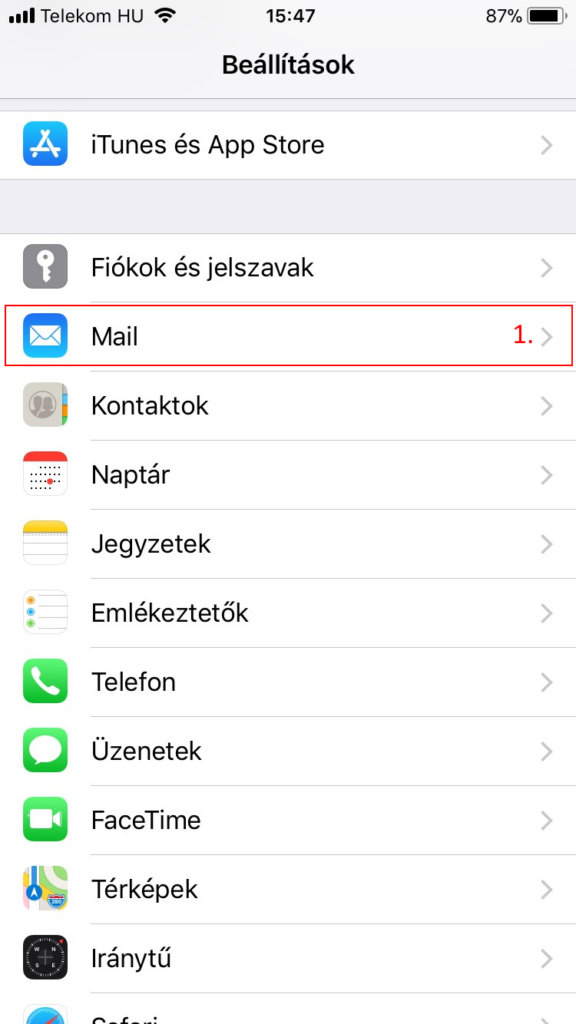
Settings / Mail
- On the page that appears, select Add Account
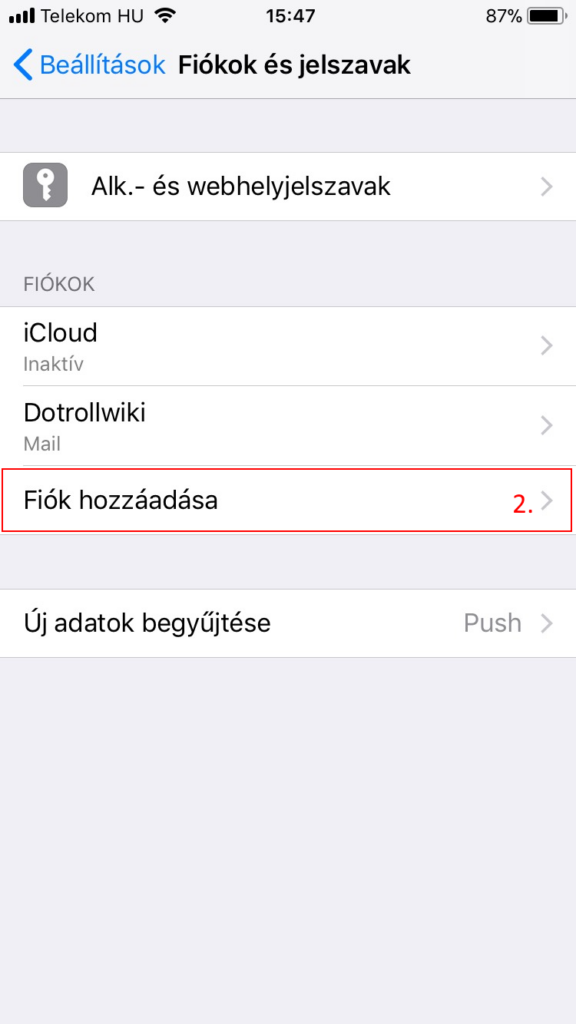
Accounts and Passwords / Adding account
- On the Add Account screen, select Other
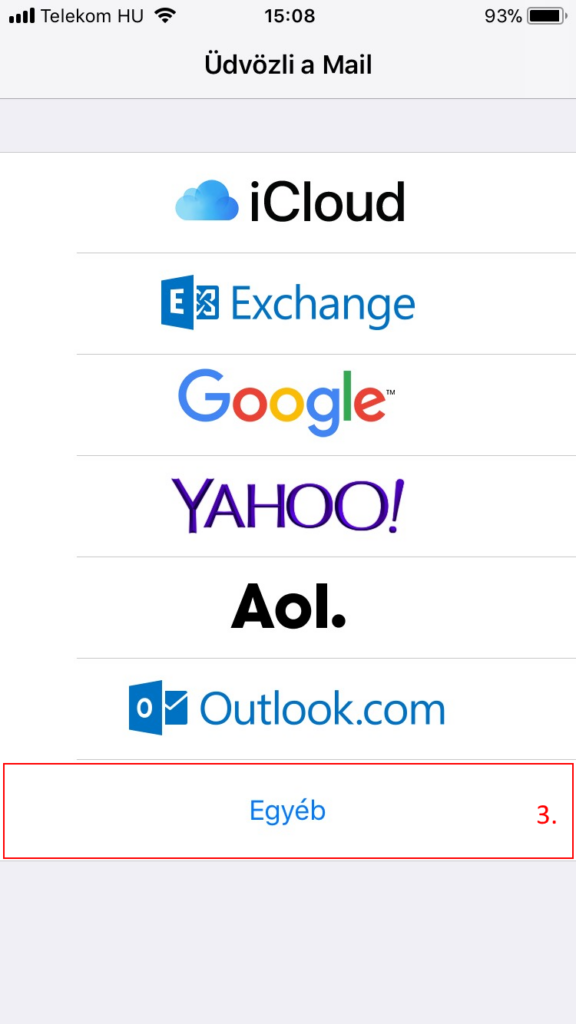
Welcome the Mail / Other
- On the next screen, select Add Mail Account
- On the New Account screen, fill in the mailbox information form with the following information based on the information in the image, then tap
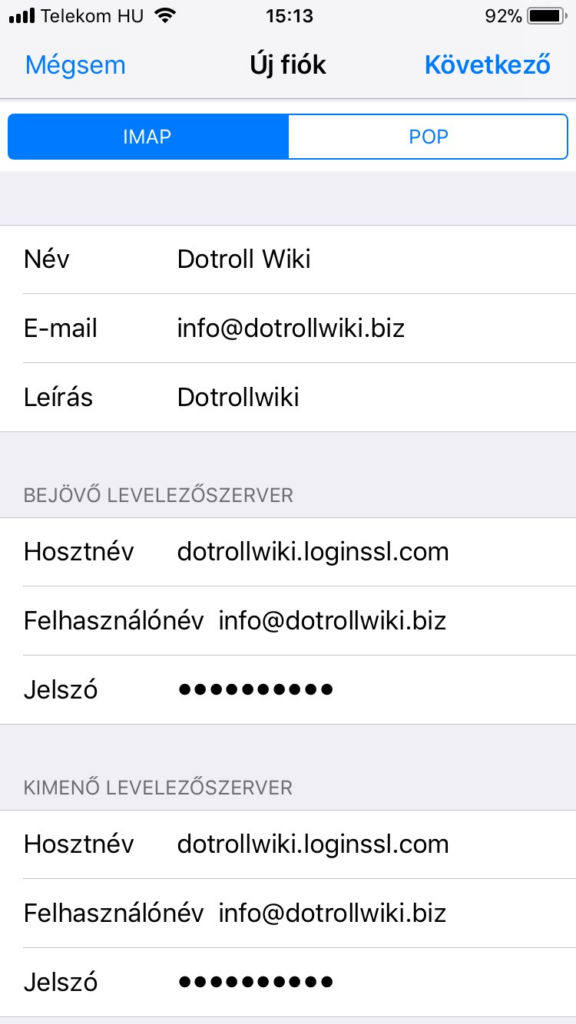
New account
the Next option
For IMAP mail, both Incoming and Outgoing mail servers are as follows:
hostingID.loginssl.com- After logging in, click Services / My Services in the top menu bar.
- On the page that appears, click the Active button at the end of the hosting service line for that domain name.
- In the middle of the page, under the Hosting Information tab, you will find the cPanel user name.
- The device automatically tries to connect to the mail server based on the entered information.
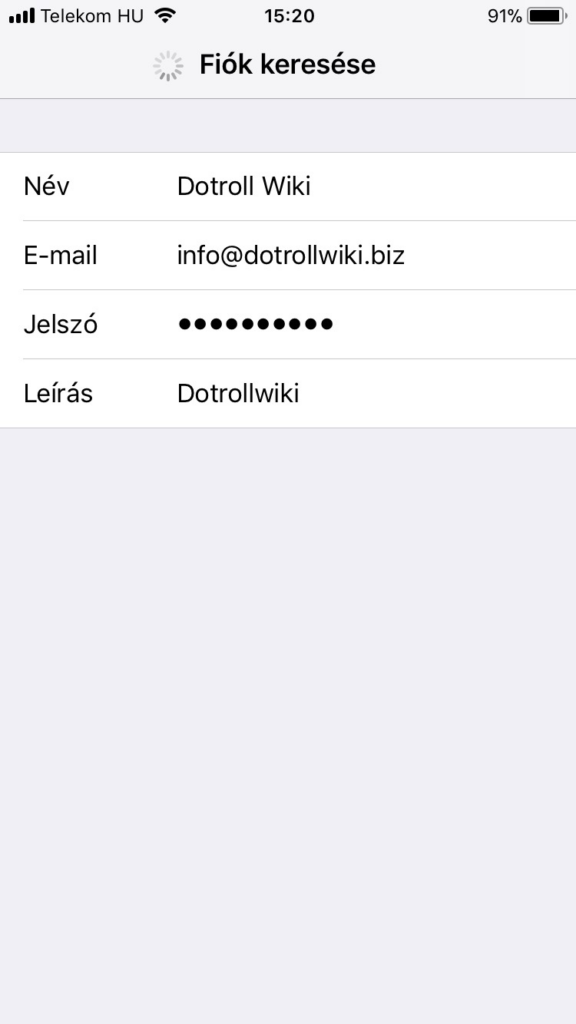
Searching Account
- After a successful connection, the following screen will appear
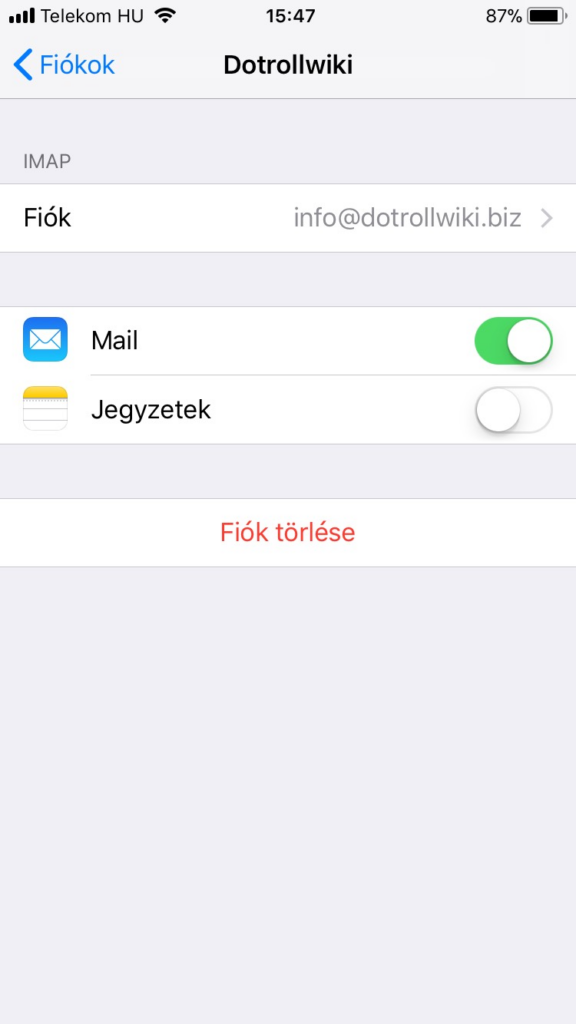
Accounts
- After that, if you tap > next to the set account, you can view the account details or update the account settings here.
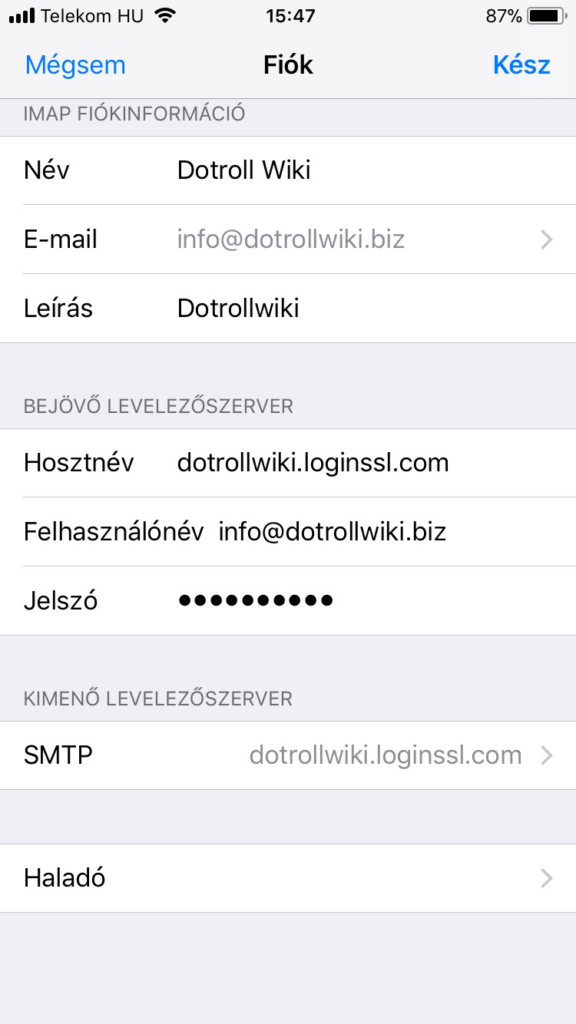
Accounts Information
- Mail sending information can be set by touching the > sign at the end of the SMTP line
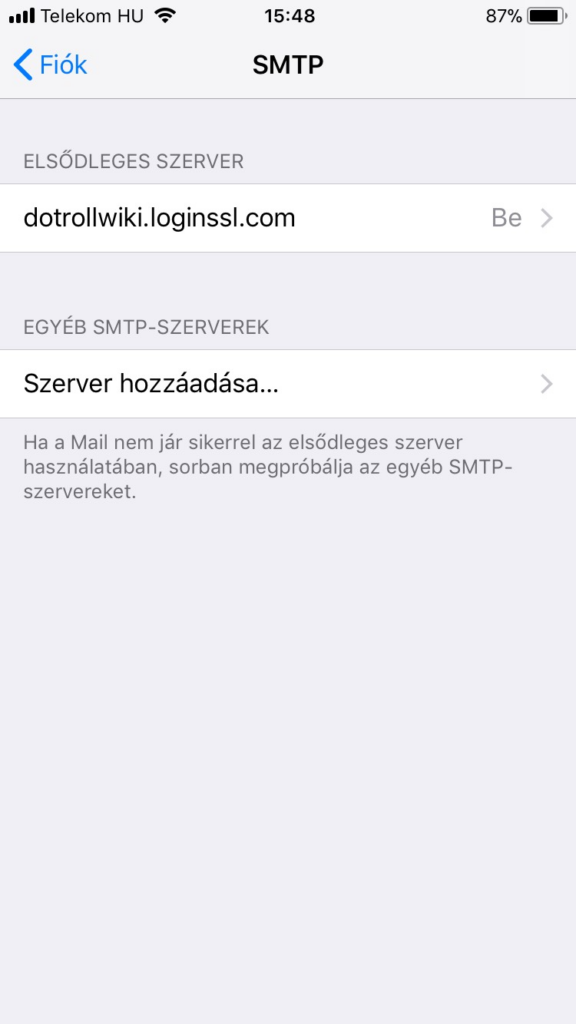
SMTP
- Here, tap > next to the configured server, and then make sure the outgoing mail server is set up as shown.
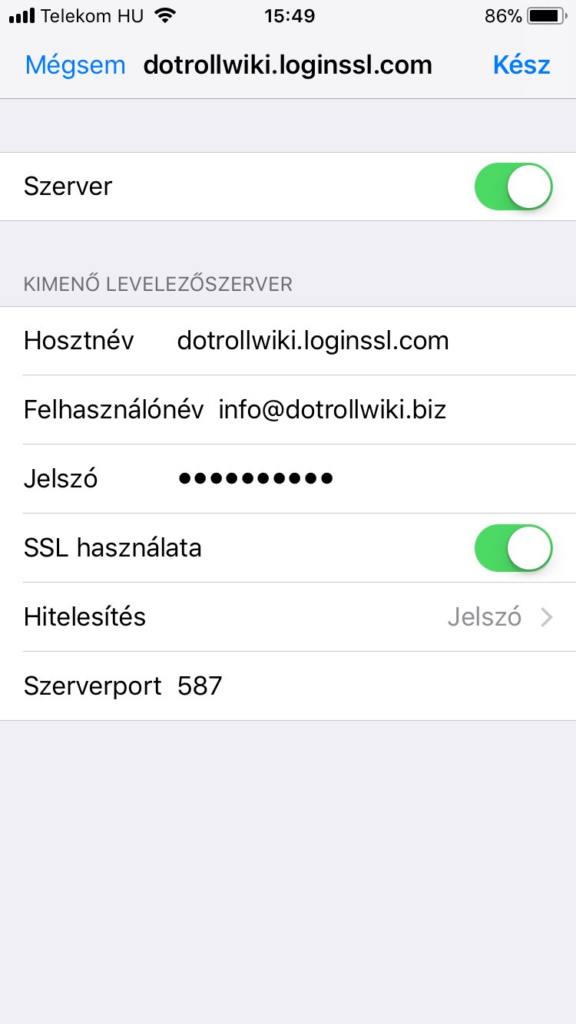
Outgoing Mail Server
- You can specify other advanced settings for your account by selecting Advanced Settings at the bottom of the screen
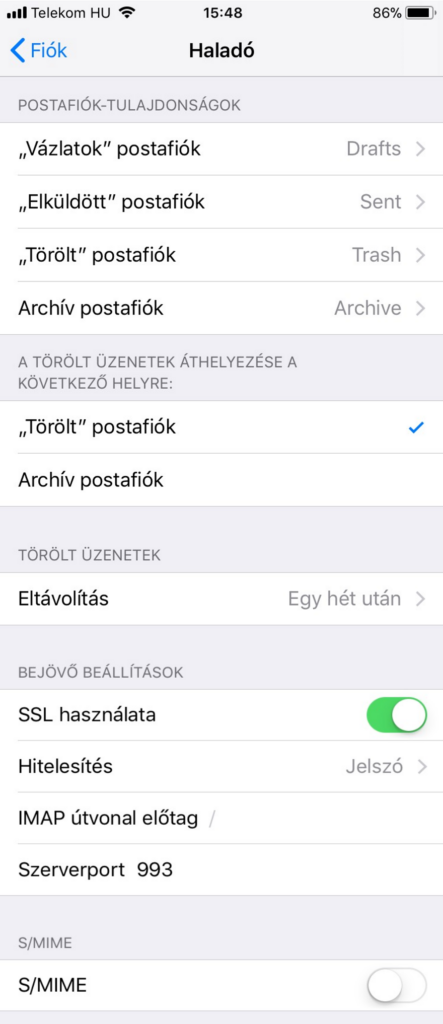
Advanced